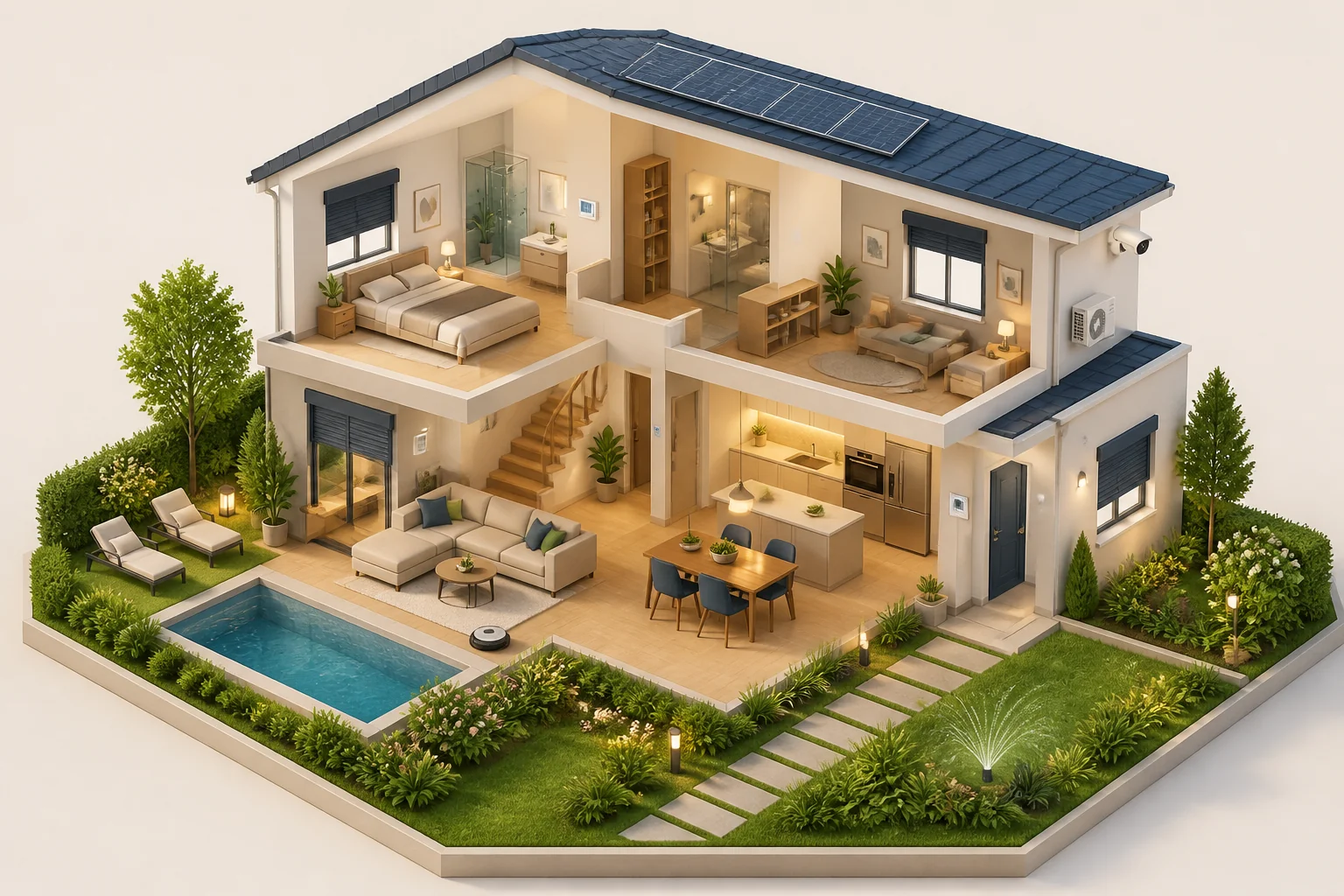
Lighting that fits your routine. Rooms at your preferred temperature. Cameras you can keep an eye on. We connect your devices into a smart home that works for you.
Individual extensions are a core RKV capability: we plan, connect and configure devices, interfaces and routines around your home – from a single request to a complete system.
Your daily life sets the pace.We start with your needs, rather than a list of devices.
02
Connect what you already have.Compatible technology from different manufacturers can work together.
03
Grow with your ideas.Start with one area and add more when you need it.
From the front door to the garden
What would you like to connect?
These areas are part of our integration work. We check your specific devices to establish which functions are available. Open the examples to see how they can become a personal routine.
Cameras & doorbell
See what matters.
Live views, motion-triggered recordings, thumbnails and playback in one interface. We agree recording retention with you.
Everyday example
Looking for a recording? Open the gallery in Home Assistant, choose the date and play the relevant clip. Private camera images stay outside the public demo.
Lighting
The right light at the right moment.
Switch lights centrally, group them by room and adjust the brightness of dimmable devices. Presence and brightness can trigger switching.
Everyday example
You enter a dark hallway: with suitable presence and brightness sensors, the light switches on. Home Assistant shows its status and lets you take control.
Thermostats
Your preferred temperature, room by room.
Keep track of room temperature, humidity and device availability. Adjust the target temperature of compatible thermostats in the shared view.
Everyday example
Is your study too cool? Open the thermostat view in Home Assistant, compare the actual and target temperatures, and adjust the target.
Shutters & shading
Control individually. Close together.
Up, down, stop or a chosen position: control shutters individually or as a group. Frequently used actions can also be available as smartphone widgets.
Everyday example
In the evening, close the selected shutters with a single action. Additional sun, weather or time-based automation can be planned separately if needed.
Air conditioning
Comfortable rooms. Straightforward controls.
Switch compatible air conditioners on and off individually or together, use available airflow settings and understand their energy use.
Everyday example
Before using a room, switch on its air conditioner from the shared view. Available operating modes and settings depend on the model.
Ventilation & indoor climate
Fresh air to suit the situation.
Bring ventilation output, temperatures, humidity, bypass and filter status together. Suitable systems can switch between normal and cooking operation.
Everyday example
The hob is on: an individually configured routine detects its measured power and adjusts ventilation. You can keep an eye on readings and filter status.
Appliances & household devices
Understand what is using electricity.
Switch suitable sockets and, where metering is available, display power, energy and history. Individual appliances become part of the shared overview.
Everyday example
Want to understand an appliance’s energy use? A suitable metering socket makes it visible. Switching and metering are checked separately for each model.
Windows, doors & presence
Important status information at a glance.
Bring window and door contacts, presence, battery warnings and the status of compatible smoke detectors and sirens together.
Everyday example
Before leaving, check open contacts and warnings. Integration adds visibility; it does not replace a certified intruder or fire protection system.
Vacuum & mop robots
Start cleaning where it is needed.
For compatible robots, select rooms for cleaning, view maps and position, and monitor maintenance information. We also review robotic mowers individually.
Everyday example
After a meal, start cleaning the dining area specifically. Room maps remain private. For robotic mowers, we first clarify available controls and coordination with irrigation.
Plants & garden
Know when your plants need attention.
Use suitable sensors to monitor soil moisture, temperature, light and conductivity. Thresholds can be tailored to each plant.
Everyday example
Check soil moisture before watering. Additional automatic irrigation is planned separately; a plant sensor alone does not provide it.
TV & media
Bring everyday controls together.
Switch compatible TVs on and off, navigate menus and control playback. The available functions depend on the device.
Everyday example
Verified TV actions are available centrally in Home Assistant – from power to pause. Additional media devices can be integrated around your needs.
Buttons & remote controls
Your favourite routine at the press of a button.
Single, double or long presses can trigger different actions. Assign lighting, shutters and other approved functions to suit you.
Everyday example
A button by the door switches off your selected lights. Another press controls the shutters. We agree the assignments with you.
Energy-saving routines
Avoid unnecessary running time.
Switch suitable auxiliary devices on a schedule while respecting manual overrides. We first agree which appliances can safely be turned off.
Everyday example
TV accessories may not need to stay on overnight. We configure a suitable routine only for appropriate devices – without blanket savings promises.
Turn individual devices into your routine
One day. Many small conveniences.
This is what individually configured routines can look like. Sensors, devices and permissions must work together.
Arriving home
Lighting welcomes you.
Presence and low light trigger the hallway light. No need to look for the switch.
While cooking
Ventilation responds.
Measured hob power can activate the ventilation’s cooking mode. Readings remain visible.
In the evening
One press is enough.
Your selected lights switch off and the chosen shutters close. You decide the button assignments.
RKV in Home Assistant
Many devices. One familiar interface.
The protected demo shows four original RKV views with current readings for energy, heat pumps, pools and irrigation.
Understand energy flows
Explore generation, storage, consumption and charging together.
Plan heating
Explore the dedicated heat-pump view with history and planning.
See pool systems at a glance
Discover filtration, heating and water readings in the original RKV view.
Understand irrigation
Explore zones, sensor readings and planning as one system.
Experience the original live.
Personal demo access is view-only and does not open a private customer installation. Cameras, private room maps, personal and access data remain excluded. RKV is an independent provider, not an official partner or publisher of Home Assistant.
Individual devices can extend your Energy Hub after a review of the available interfaces. We adapt energy views and personal routines to your everyday life.
No blanket guarantee of function or compatibility: available functions, any required manufacturer services and the precise setup scope are agreed in advance.